How to use Co-Kinetic’s pre-created email sign-up and success pages to build your email list
Within each Co-Kinetic campaign, you get a hosted Sign-Up Page, a Success Page, and pre-created Patient Leaflets that double as lead magnets. These resources help you build your email list and engage potential clients without the hassle of creating them from scratch and, as we host them for you, you don't need to use any additional software.
What You Get With Each Campaign
The Sign-Up Page captures email addresses in exchange for lead magnets like patient leaflets. These pages are fully built and branded with your clinic's logo and contact details, so you don't need to create landing pages, source lead magnets, or set up email delivery. You can use them in paid social ads or organically to drive leads through your website or social channels. All leads are collected with full GDPR compliance, so you can be confident your communications meet regulatory requirements.
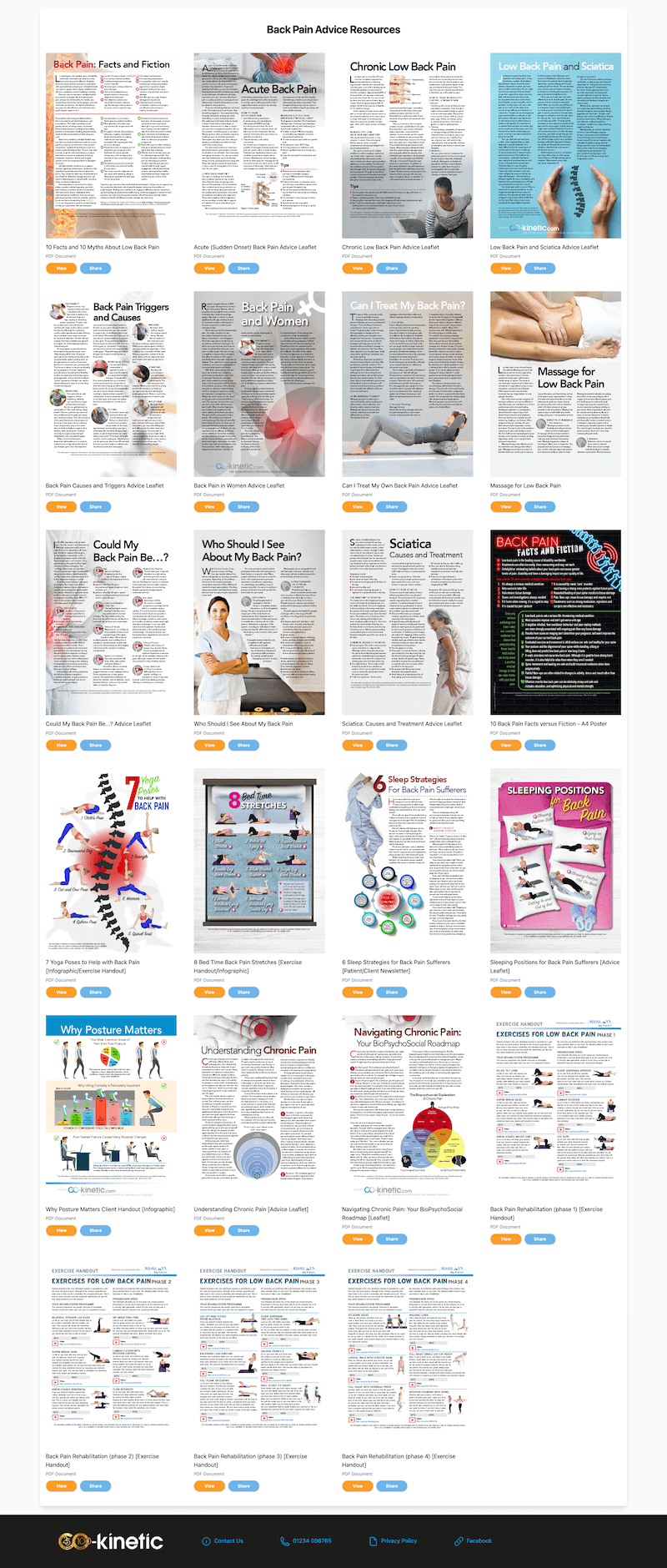
The Success Page is where your audience is directed after signing up. It hosts all of the campaign's leaflets in one place, providing immediate value and encouraging ongoing engagement with your new leads. It's a seamless way to deliver valuable content without any extra software.
Patient Leaflets as Lead Magnets. Each campaign includes a set of patient leaflets that serve as high-value lead magnets. You won't need to spend time writing or designing these yourself — they're ready to go and automatically branded with your clinic's logo and contact details. Whether used on Sign-Up Pages or shared directly with your audience, these leaflets are an easy way to offer useful, trust-building content.
Why Use These Tools?
Instant Lead Generation. You get everything — lead magnets, landing pages, and success pages — pre-built and ready to use.
No Additional Software Needed. Co-Kinetic handles everything, so there's no need for external landing page builders or email platforms.
Versatile Use. Use these resources in paid ads or organically, both online and offline (for example, using QR codes in your clinic or at events), to grow your list and distribute valuable content without hassle.
GDPR Compliant. We record GDPR preferences for every lead, ensuring that your communications are compliant with regulations from the outset.
How to Use Your Sign-Up Pages: Step by Step
Or Watch the video here
Step 1: Access Your Pre-Created Sign-Up Pages
Start by logging into your Co-Kinetic account.
Use the Content Type dropdown menu and select Education Campaigns to filter to the available campaigns.
Choose a campaign that fits your clinic's current focus or upcoming events.
Go to the Scheduler tab to find your Campaign URLs. Each campaign includes a pre-created Sign-Up Page that's ready to be shared with your audience.
 ### Step 2: Promote Your Sign-Up Page
Share the Link. Distribute the Sign-Up Page link across your marketing channels — such as in your blog posts, condition pages, social media, your website, newsletters, and even in physical locations using QR codes. You can also run social ads (e.g. Facebook and Instagram) using these pages and the associated lead magnets delivered through the Success Page.
Drive Traffic. Encourage your audience to visit the Sign-Up Page by highlighting the valuable resources they'll receive upon signing up.
Step 3: Collect and Manage Your New Email Leads
Automatic Lead Collection. Co-Kinetic automatically collects the contact details of individuals who sign up through your campaign pages (the Sign-Up Page URL link is unique to you).
Access Your Leads. You can find all your new leads under the Contacts section in your Co-Kinetic dashboard.
Campaign Tracking. Each lead is tagged with the campaign(s) they signed up for, so you can easily track which campaigns are generating the most interest.
GDPR Compliance. We also record GDPR preferences, ensuring that your communication with these leads is compliant with regulations.
Step 4: Nurture Your Email Leads
Using the Success Pages. After signing up, leads are directed to a Success Page that hosts all the resources related to that campaign (effectively the lead magnets). These are branded with your logo and contact details, providing immediate value and encouraging ongoing engagement for your new email leads.
Built in Email Workflows. To nurture your leads further, our inbuilt email workflow within Co-Kinetic will let you nurture your leads from within the Co-Kinetic system. All you need to do is ensure you Activated the Autoresponder email found here in each campaign:
Then select 'Next Workflow' to add these new leads to an Email Workflow - such as a Nurture Email Workflow. If you haven't set these up yet watch a video here on how to set these up.
Step 5: If you want to Export Your Email Leads to Other Platforms
Webhook Integration. If you wish to add these leads to another email marketing platform or CRM system, you can use the webhook feature to automate this process.
Link to Detailed Guide. For more information on how to set up and use webhooks to send your leads to other platforms, please refer to our detailed guide here.
Common Questions
Where can I find my collected leads?: Go to the ‘Contacts’ section in your Co-Kinetic dashboard.
How are leads categorised?: Leads are tagged by the campaign they signed up for, and their GDPR preferences are recorded for compliance.
Can I send leads to another platform automatically?: Yes, you can use the webhook feature to send leads to other platforms. See our webhook guide for more details.
**Example Sign Up Page **
Remember these pages will be branded on the bottom footer, with YOUR OWN branding settings, contact details and links. I just used our version for demo purposes.
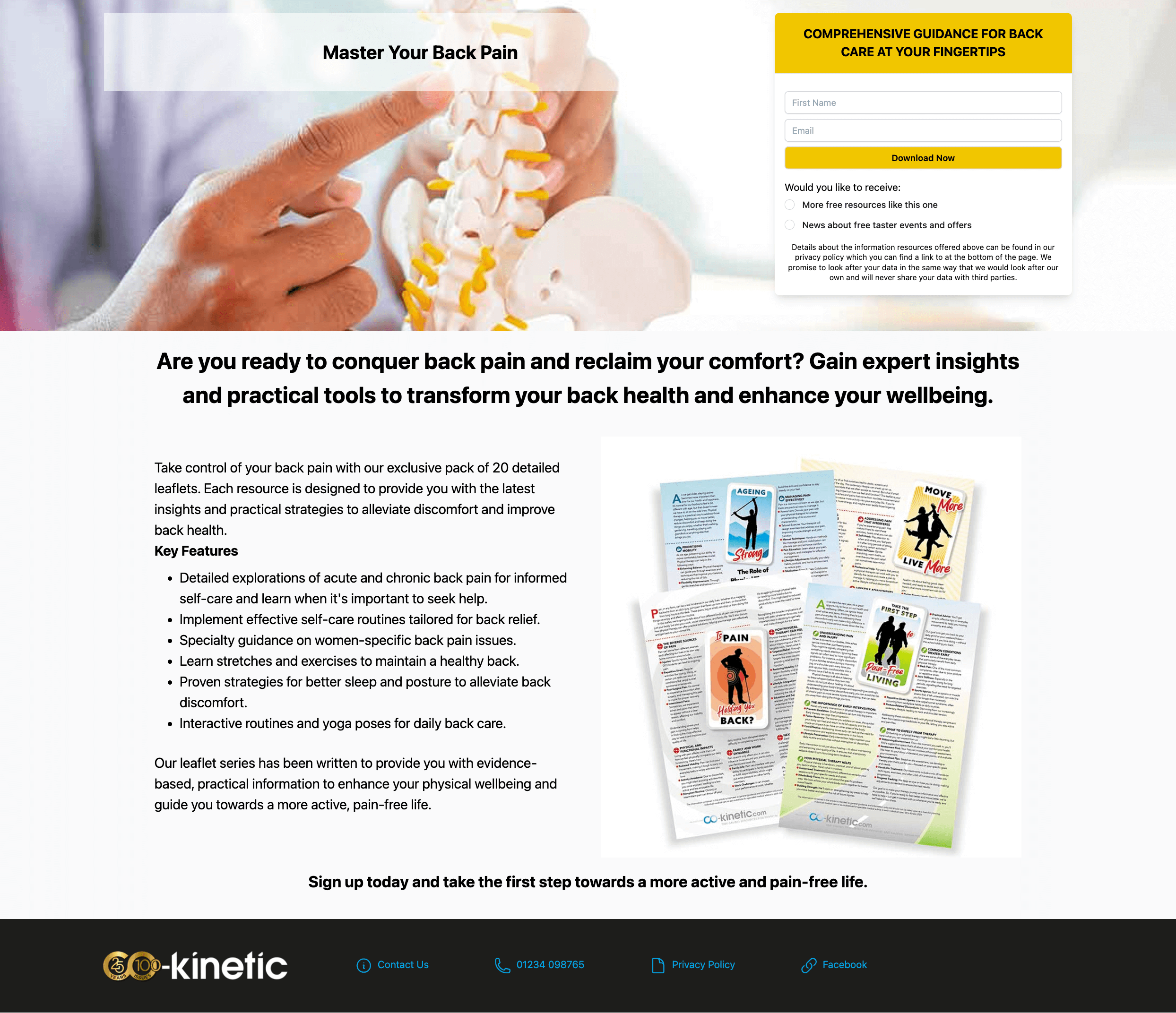
Again the footer will include your branding/links/contact details and each individual leaflet when opened will feature these same personalised details.
(Please note: this back pain campaign was quite a lot larger than most campaigns, they won't all be this big!).