When does my content plan change or refresh?
This is part of the Clinical Content System subscription. If your clinic isn't subscribed yet, you can see what the Clinical Content System includes.
Sound familiar?
"Will my plan update as we publish?" "I've completed several actions, is my plan stale now?" "Why hasn't my plan changed by itself?" "There's a Refresh Content Plan button, should I press it?" "Will refreshing lose my progress?" "Why is a piece I published still sitting on my plan?" All answered below.
What's happening
Three things change your plan, and none of them happens the instant you change a setting.
The first is the Refresh Content Plan button on the plan page. It arms when something significant has changed: your priorities, your ranked services or conditions, your clinicians or their profiles, or your clinic profile. One click and the plan recomposes around your new reality, with visible progress while it works.
The second is automatic: when you change your Practice Priorities or your top five ranked services or conditions, your plan rebuilds itself about an hour after your last change. The hour lets you make several edits first. It happens at most once a day, costs nothing extra, starts no new research (it re-orders your plan using what we already know), and work you've already started stays where it is.
The third is also automatic and quiet: if completing or rejecting items leaves your plan with five or fewer actionable items, it tops itself up in the background, at most once a day. You may briefly see "Adding fresh suggestions…" while that happens. Every rebuild refills the plan to the full 15 items, so working the list never runs it dry.
The important thing to know: your plan reflects your settings from the last time it was built. Priority and top-five changes are picked up automatically within about an hour. Other changes, such as starring a clinician, updating a profile or marking something Primary, are picked up the next time you press Refresh Content Plan.
The same goes for a new assessment of your site. A re-measure updates the evidence the plan reads, but it does not rebuild the plan on its own. The plan uses the new evidence the next time it is refreshed.
Published pieces leave your plan
Once a piece is published and recorded as published, it comes off the plan. It does not sit there as a finished item, and it does not come back as a new page.
It can come back later as a refresh, but not for 12 weeks. The one exception is changed clinical evidence: if a citation or statistic the piece relies on has been superseded, for example by a new clinical guideline, it can come back at any time, and its card says why.
One practical consequence worth knowing. The 12 weeks are counted from the date the piece was published or last refreshed, so a published piece we hold no date for stays out. That is one of the reasons it is worth pasting the live URL and marking the piece published rather than leaving it.
Why it works this way
A plan that reshuffles itself on every page load teaches you to ignore it. A plan whose refresh button only arms when something real has changed earns trust and keeps momentum.
The 12-week wait exists for the same reason. Rewriting something you published a fortnight ago is not the best use of your next piece of content, and a plan that kept offering it back to you would be wasting your time. New work comes first, always: refreshes of our pieces are only suggested once there is nothing more important waiting.
When refreshes do come, they are ordered by how weak a page is compared with the rest of your own site, not against a fixed score. A page scoring 60 among your 80s goes first; the same 60 in a clinic whose pages sit at 55 does not. Your site is judged against itself.
Your own existing pages work differently. The 12-week wait applies to pieces we wrote for you. Pages that were already on your site compete with new work from the start, and some are your quickest wins: a page already on page one or two of Google for a topic you care about, a page that has been slipping down Google, or a page on a topic where AI tools recommend a nearby competitor instead of you. Within each topic, those come first. A page that is already working for you, in Google's top three or already cited by AI tools, is left alone. Once we have rewritten one of your pages, it counts as a piece we wrote for you.
And a refresh is a recomposition, not a reset. Some things never change without your consent:
- Your rejections are respected. A suggestion you marked "Not relevant" stays removed, similar suggestions are held back for 90 days, and your rejection record itself is never deleted.
- Started work keeps its place. Anything you have started, in research, writing or peer review, keeps its place and progress.
- Published work stays published. It lives in your Content Studio and is untouched by a refresh.
- Your unlock stays unlocked, whatever the refresh does to the list.
What a refresh does change is the remaining queue: completed work makes room, newly strengthened topic areas pull their next pieces up, and the plan recomposes around where your clinic is now rather than where it was at signup.
That is also why the last few unstarted items can drop out after a regeneration. The plan reruns with everything fresh, and an item that made the cut months ago may simply no longer be among your top priorities. That is not lost work; it is the plan being honest that something better now deserves the slot.
What to do now
- Open your plan at https://content.co-kinetic.com/my-clinic/plan.
- If the Refresh Content Plan button is armed, press it when it suits you. You will see progress while it rebuilds; if a run is ever still going after about fifteen minutes it is treated as stuck and offers a retry.
- After changing your priorities, your ranked services or conditions, or a clinician's profile, regenerate when the button arms. That is when your changes reach the plan.
- If a refresh fails, you get an honest "regeneration failed, try again" notice with a retry button, and the plan shown below is clearly labelled as the last successful version. It is never silently passed off as current.
- No invitation showing? Nothing has moved enough yet, and that is the system protecting your momentum. Carry on working the plan top to bottom.
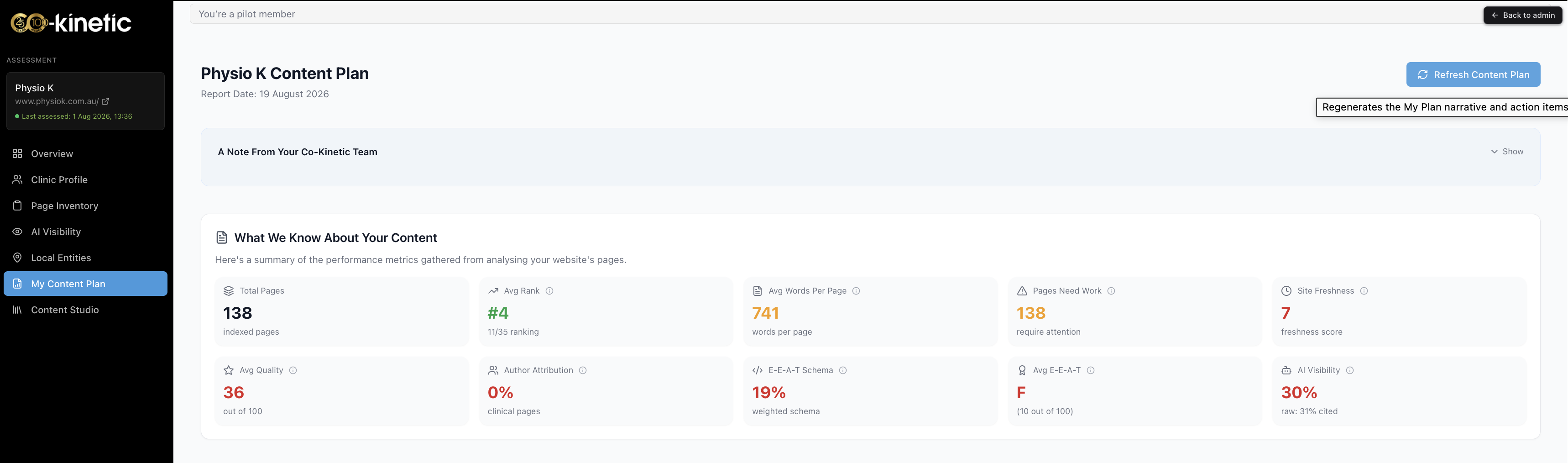
Between refreshes the plan still moves with you: cards show live progress (the stages run Not started → Waiting for insight → Research in progress → Written → Peer Review → Published), published items leave the queue, and the topic-area headers show your topical progress. The plan is a to-do list, not a trophy cabinet; your published work lives in the Content Studio at https://content.co-kinetic.com/my-clinic/studio.
The question behind the question
"Will regenerating throw away my progress or my choices?" No. Published work stays published, recent rejections stay suppressed, the unlock stays unlocked. The refresh only recomposes what is still to do, so pressing the button when invited is always safe.
The next question is usually...
- How is my content plan organised, and how does it decide what goes where?
- How do I push a topic up my content plan?
- The suggested pages in my content plan aren't relevant to us. How do I change them?
Still stuck? This usually means...
- A piece you published is still on your plan. It comes off when the plan next rebuilds, and it needs to be recorded as published on our side: paste the live URL and mark it published. If you have done that and it is still there after a rebuild, tell us in the chat.
- Some of your remaining items vanished after a refresh. That is the plan rerunning on fresh evidence and being honest that better pieces now deserve the slots. Nothing published or rejected was touched.
- A regeneration failed. Use the retry button; the plan shown is clearly labelled as the last successful version. If it fails twice, tell us in the chat.
- You changed a setting and the plan looks the same. If you changed a Practice Priority or your top five services or conditions, give it about an hour (it rebuilds automatically, at most once a day). For anything else, wait for the Refresh Content Plan button to arm, then press it.