What should I set up first on the Clinic Profile page?
This is part of the Clinical Content System subscription. If your clinic isn't subscribed yet, you can see what the Clinical Content System includes.
Sound familiar?
"I'm on the Clinic Profile tab, where do I start?" "Can I change the services the platform suggested for us?" "The AI listed conditions we don't really treat, do we have to keep them?" "Where do I set our brand colour?" The Clinic Profile page is where you tell the platform who your practice is, and everything on it is yours to change.
What's happening
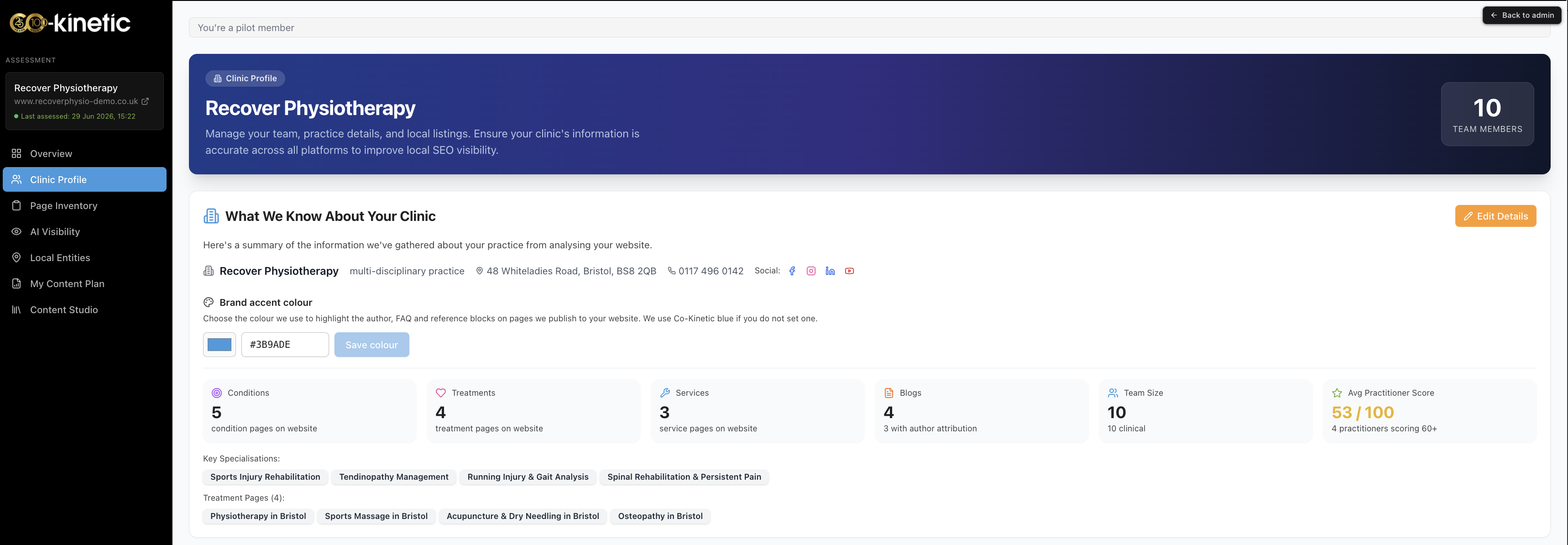
The Clinic Profile page at https://content.co-kinetic.com/my-clinic/clinic-profile is where your practice's identity lives. Work through it in this order:
- Set your brand colour 🎨. It is used to highlight the author, FAQ and reference blocks on the pages we publish to your website, so they match your brand (Co-Kinetic blue is used if you do not set one).
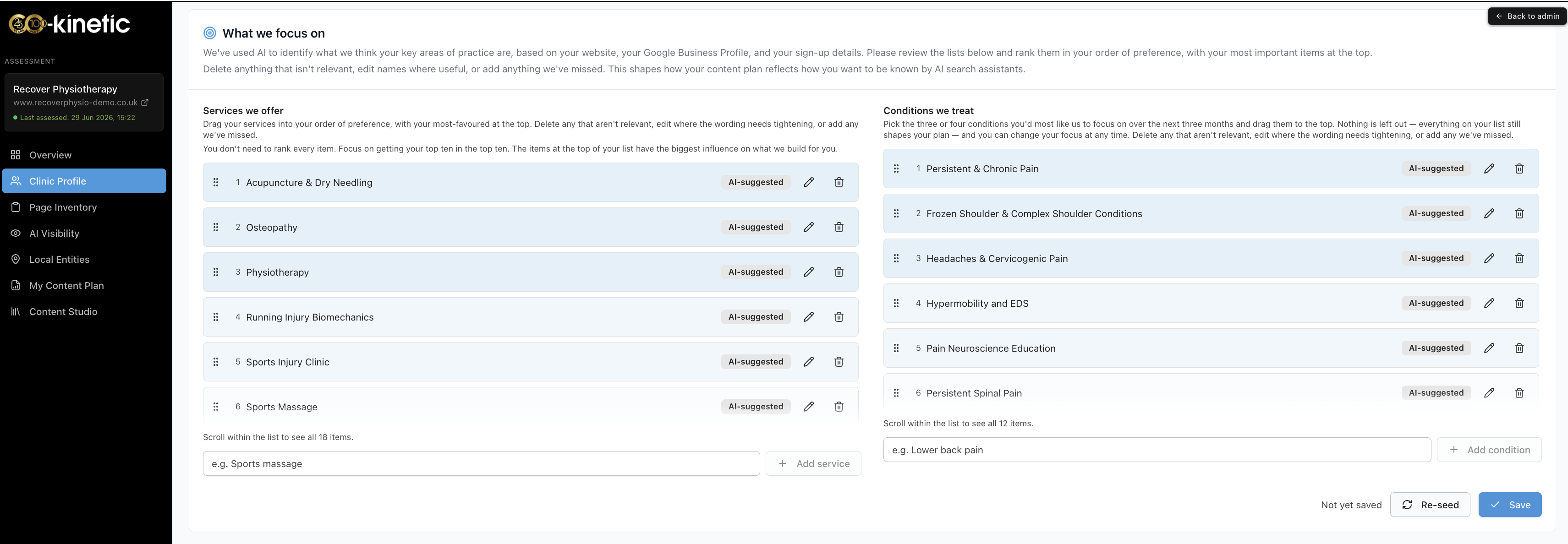
- Set what you focus on: services offered and conditions treated. The platform will have suggested these from your website, but AI-suggested does not mean mandatory. You have full control: add anything missing, remove anything wrong, edit anything imprecise, delete anything irrelevant, and drag to reorder so the most important sit at the top.
- Set your practice priority topics. The up-to-three topics you most want the practice to be known for. Choose carefully: they strongly influence how your content plan is ranked, and once set they lock for 90 days while the platform builds deep research around them (see "Why are my practice priority topics locked for 90 days?").
- Sort out your team. The Your Team panel is on this page too: add team members, star the clinician whose content should come first, manage active status, and add account administrators (see the team articles linked below).
Why it works this way
Everything the platform creates for you flows from this page: the services and conditions you confirm shape what content is suggested, your priorities shape its ranking, and your team's profiles determine what your clinic is qualified to publish. The AI's suggestions are a head start pulled from your website, not a verdict, and the platform deliberately keeps you in full control, because you know your practice better than your website currently shows it 🙂. Order matters too: your plan is built from your priorities first, then your top five services, then your top five conditions, so dragging your true priorities to the top is worth the minute it takes.
What to do now
- Open https://content.co-kinetic.com/my-clinic/clinic-profile.
- Set the brand colour.
- Go through services and conditions line by line: correct, cull, add, reorder. Be specific where you can, specificity is what differentiates you.
- Choose your practice priority topics thoughtfully: they lock for 90 days, so pick the topics you genuinely want to be known for.
- Then move to the team: "How do I add a new team member?" and "What does starring a clinician do?" cover the next steps.
The question behind the question
"I'm really reluctant to rank my services and conditions, I don't want to lose the patients I put lower down." This is the most common discomfort on the whole page, and it deserves a straight answer. You are not being asked to niche; you are being asked to prioritise, and the two are very different. Nothing you rank lower disappears, gets dropped, or stops being part of your practice. The uncomfortable truth is that AI rewards depth over breadth, so the plan has to know where to build depth first, and your ranking is one factor in that algorithm, not all of them. Priorities can change as your practice does. And it really does matter: this page is the main way you influence your content strategy, so ten minutes here is the highest-leverage ten minutes in your whole setup ⭐.
The next question is usually...
- Why are my practice priority topics locked for 90 days?
- What do practice priorities actually do?
- How do I add a new team member?
- What does starring a clinician do?
Still stuck? This usually means...
- You cannot decide on your three priority topics. Pick where you want the practice to go, not just today's volume, and make sure a clinician's profile can back each one up. "What do practice priorities actually do?" explains the mechanics.
- A service or condition will not save or reorder. Try once more, and if it persists tell us in the chat with the item name: that is worth us checking.
- You set priorities and now want to change them. They lock for 90 days by design; read "Why are my practice priority topics locked for 90 days?" for what to do in the meantime.