What does starring a clinician do?
This is part of the Clinical Content System subscription. If your clinic isn't subscribed yet, you can see what the Clinical Content System includes.
Sound familiar?
"There's a star on each team member, what is it for?" "How do I make the plan focus on our lead physio's specialisms?" "Our new associate needs building up, can I prioritise their content?" "I starred someone, what changed?" The star is a prioritisation control: here is exactly what it does.
What's happening
In the Your Team panel on the Clinic Profile page at https://content.co-kinetic.com/my-clinic/clinic-profile, each clinician can be starred. Starring a clinician tells the platform to prioritise content connected to them. It works at the level of the whole person: everything that clinician treats gets the strongest clinician lift the plan applies, so all of their topics rise, not one of them.
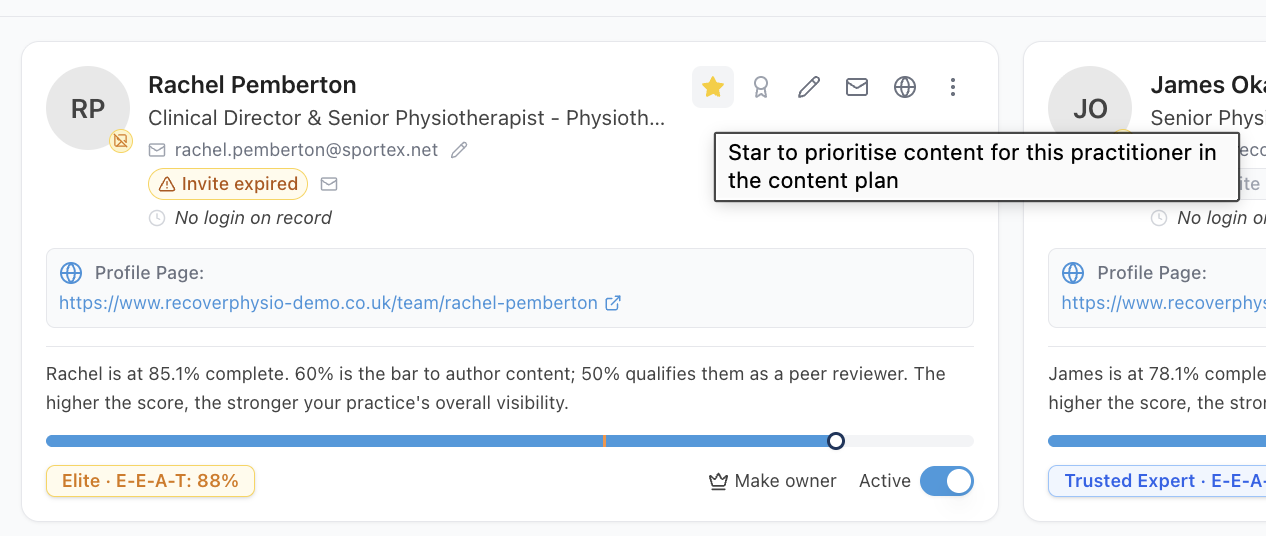
Use it when you want the plan to build one person's presence first: the practice owner, a clinician whose specialism is the practice's flagship, or a new associate whose diary needs filling.
Why it works this way
Your plan is ordered by what you have told us matters: your practice priorities first, then your top five ranked services, then your top five ranked conditions, then your clinicians' specialisms. Your clinicians decide the order within each of those.
There are two separate controls, and it is worth knowing which does what:
- The star sits on the clinician. It lifts everything that person treats, and it is the strongest clinician signal there is.
- The emphasis control sits on a single item inside a clinician's profile: one condition, one technique, one patient group. Setting an item to Boost lifts that item only. Normal leaves it as a listed item, and Set aside means it does not count at all.
For the thing a clinician is most known for, set the item to Boost and mark it Primary. Each list (niches, conditions, techniques) can have one Primary; it counts as much as a star, starts full research on that topic, and locks for 90 days once set.
Beyond that, the more of your clinicians who share a specialism, the more strongly it counts. Each card names the clinicians behind it, so you can see the star at work.
So the star does not jump a topic above your own priorities, and it is not meant to. It settles which of the things you already care about gets built first, and it gives you a direct, human way to say "this person first" without touching anything else.
Remember the pairing that makes the star powerful: the star lifts a clinician's content, but their profile is what qualifies them to author it at all, and their declared specialisms are what bring their topics into the plan. A starred clinician with a thin profile has nothing to lift.
What to do now
- Open https://content.co-kinetic.com/my-clinic/clinic-profile and find the Your Team panel.
- Star the clinician whose content should come first. One star does more than several: prioritising everyone prioritises nobody.
- Make sure that clinician's profile is strong and their specialisms are declared: see "How are profile scores worked out, and how do I raise mine?" and "What are niches and primary niches, and how do they shape my plan?"
- Refresh the plan when the Refresh Content Plan button arms. Starring changes what the next build of the plan does, not the plan currently on screen.
The question behind the question
"Can I use this to push a topic, rather than a person?" Partly. Starring the clinician who carries the topic lifts that topic's content. But if the topic is a practice-level ambition, the stronger levers are your practice priorities and your ranked services and conditions: "How do I push a topic up my content plan?" lays out all of them side by side.
The next question is usually...
- How do I push a topic up my content plan?
- What are niches and primary niches, and how do they shape my plan?
- Why does my clinician's profile matter so much?
- A clinician is going on long-term leave, what should I do?
Still stuck? This usually means...
- You starred someone and the plan looks unchanged. The plan reflects your settings as of its last build. Wait for the Refresh Content Plan button to arm, then press it, and check the starred clinician's profile actually declares the specialisms you expect to see lifted.
- You want several people prioritised at once. Pick the person who matters most this quarter, and use your priorities and ranked lists to look after the rest.
- The starred clinician cannot author yet. Their profile is below the authoring threshold. Point them at "Is there a faster way to fill in clinician profiles?": the star will do its job once they are eligible.