Is there a faster way to fill in clinician profiles?
This is part of the Clinical Content System subscription. If your clinic isn't subscribed yet, you can see what the Clinical Content System includes.
Sound familiar?
"My physios don't have time for this." "I hate writing about myself." "Can someone else do it for us?" "How can I make it easier for my team to fill in their profiles?" "Are there any tools to help me?" "There are so many boxes." All fair, and yes: there are faster ways, and you can mix and match them.
What's happening
You do not have to type a profile in from scratch. The platform has several routes that do most of the work for you: a guided conversation we extract from, imports from things you already have (a CV, an existing web page, LinkedIn), an offline worksheet, and a bio that writes itself. Whichever route you use, the clinician stays in charge: nothing lands on their profile without them approving it.
Why it works this way
AI search rewards detail, individuality, experience and depth, and the fastest way to get that out of a busy clinician is rarely a blank form. Most people talk far better than they type 🎙️. So the routes are built around how clinicians actually work, with one firm rule: anything clinical that gets extracted (conditions, techniques, patient groups) appears as suggestion chips the clinician must confirm before it is saved. An import also never overwrites something already written; it only fills empty fields.
What to do now
Everything below lives in the profile editor under Set-up and tools, on the Clinician Profile page: https://content.co-kinetic.com/my-clinic/clinic-profile
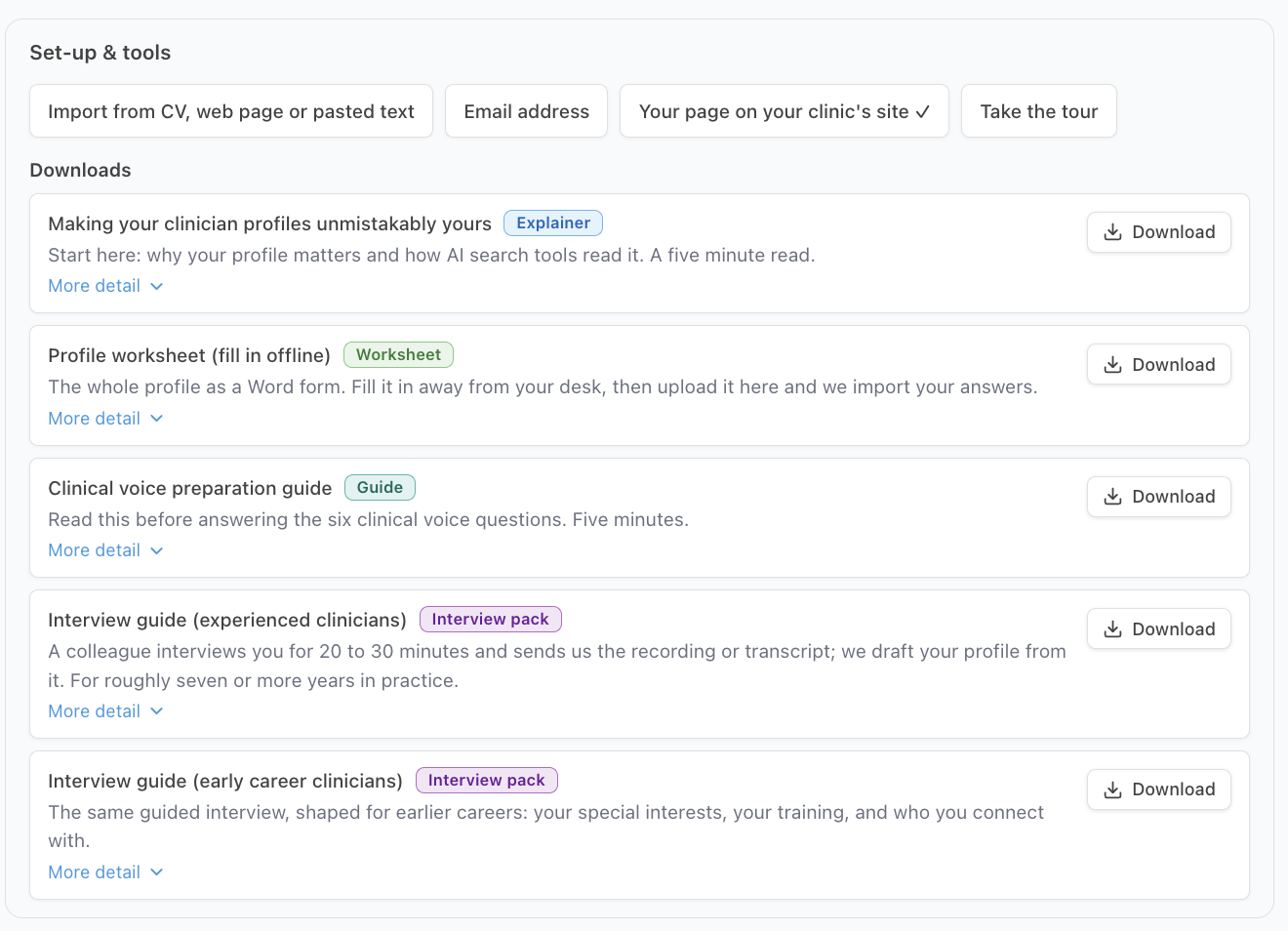
Start with the Downloads panel: five documents, each with a description and its own download button 📚:
- Making your clinician profiles unmistakably yours (Explainer, PDF, that link downloads it directly), the five-minute start-here read: why profiles matter and how AI reads them. If a sceptical clinician reads one thing, make it this.
- (Each link below downloads a Word document straight to your computer.) Profile worksheet (Worksheet, Word), the entire profile as an offline form, mirroring every section of the editor with the points shown. Fill it in away from a screen, or hand it to a colleague to gather the facts and certificates, then upload it back through the same Set-up and tools area, the answers are read in automatically.
- Clinical voice preparation guide (Guide, Word): a five-minute read before answering the six clinical voice questions, with do and don't examples. The perfect unsticker for anyone who freezes at open questions.
- Interview guide for experienced clinicians (Interview pack, Word), a colleague runs a 20 to 30 minute guided interview 🎙️, records it, and sends us the recording or transcript; we draft the profile from it. Built for clinicians with roughly seven or more years in practice, and it's our favourite route, because people talk far better than they type. Often produces the most distinctive profile of all.
- Interview guide for early-career clinicians (Interview pack, Word): the same interview, shaped for shorter careers: special interests, training, who they connect with best.
Then there are the import routes, for profiles that partly exist already: upload a CV, paste CV or bio text into the paste box, import from an existing staff bio page on your website (just give it the URL), or import from LinkedIn. Factual parts fill in automatically, but only where empty; an import never overwrites something already written.
And finally: nobody needs to write their bio by hand ✍️. It is generated from everything above, and can be regenerated whenever the profile grows.
One thing to know: extracted conditions, techniques and patient groups appear as suggestion chips the clinician must confirm, and the chips only last for the current editing session, so review and accept them before closing the editor.
The question behind the question
"Why does it need this much detail in the first place?" Because the profile does double duty: it powers the clinician's public profile page AND every article we write for your clinic. One recorded conversation feeds months of content, which is why the fastest route is also the richest one.
The next question is usually...
- Why does my clinician's profile matter so much?
- How are profile scores worked out, and how do I raise mine?
- What happens once my content plan unlocks?
Still stuck? This usually means...
- An import pulled in nothing, or very little. Imports only fill empty fields and only extract what the source actually contains: a thin LinkedIn produces a thin import. Try the CV or paste route with a richer source, or switch to the interview.
- The suggestion chips disappeared before anyone confirmed them. They only last the editing session. Re-run the import and confirm the chips before closing the editor.
- The answers arrived but a quality score looks low. Imported and uploaded answers are scored the same way as typed ones, so a low score means the answer needs more depth rather than anything being stuck. Add specific, concrete detail: name the courses and providers, the techniques you use, and real pain scores and timelines.
- The clinician simply will not engage with any of it. Hand them nothing but the explainer PDF ("Making your clinician profiles unmistakably yours") and ask for 30 recorded minutes with a colleague and the interview guide. That is the entire ask.