How do I create an email workflow from an educational marketing campaign?
This is part of the Clinic Growth Hub subscription.
Sound familiar?
You want to send your patients genuinely useful emails, the kind that get a "thanks for this" reply, but writing a series from scratch is exactly the job that never reaches the top of the list. Co-Kinetic's educational campaigns are ready-made for this: you pick the campaign, the assistant writes each email from its patient leaflets, and the series goes out on your schedule, branded as your clinic 🎓.
What's happening
An educational workflow is a Full Workflow in Email Workflows whose emails are written from a campaign's leaflets: one leaflet per email, link included, everything editable. You choose who receives it, how it runs, and where new joiners start. The system does the writing, the sending, the branding and the limit-checking.
Why it works this way
Educational content is the trust engine of clinic marketing: it positions you as the expert before anyone needs you. The campaign route exists because the writing is the barrier. With the leaflet as source material, each email takes minutes to shape instead of an hour to write, which is the difference between a series that happens and one that stays on the someday list 🙂.
What to do now
- Choose your campaign: click Content in the left-hand menu and browse the library for the patient campaign that fits your patients or the season (a snow-sport injury campaign for winter, say). The patient campaigns show in the main library view without any filter ticked. One thing to know: the Education Campaign tick-box in the Content Type filter shows the clinician education material (the PowerPoints and webinars), not the patient campaigns, so leave that box unticked when you are looking for a campaign to email.
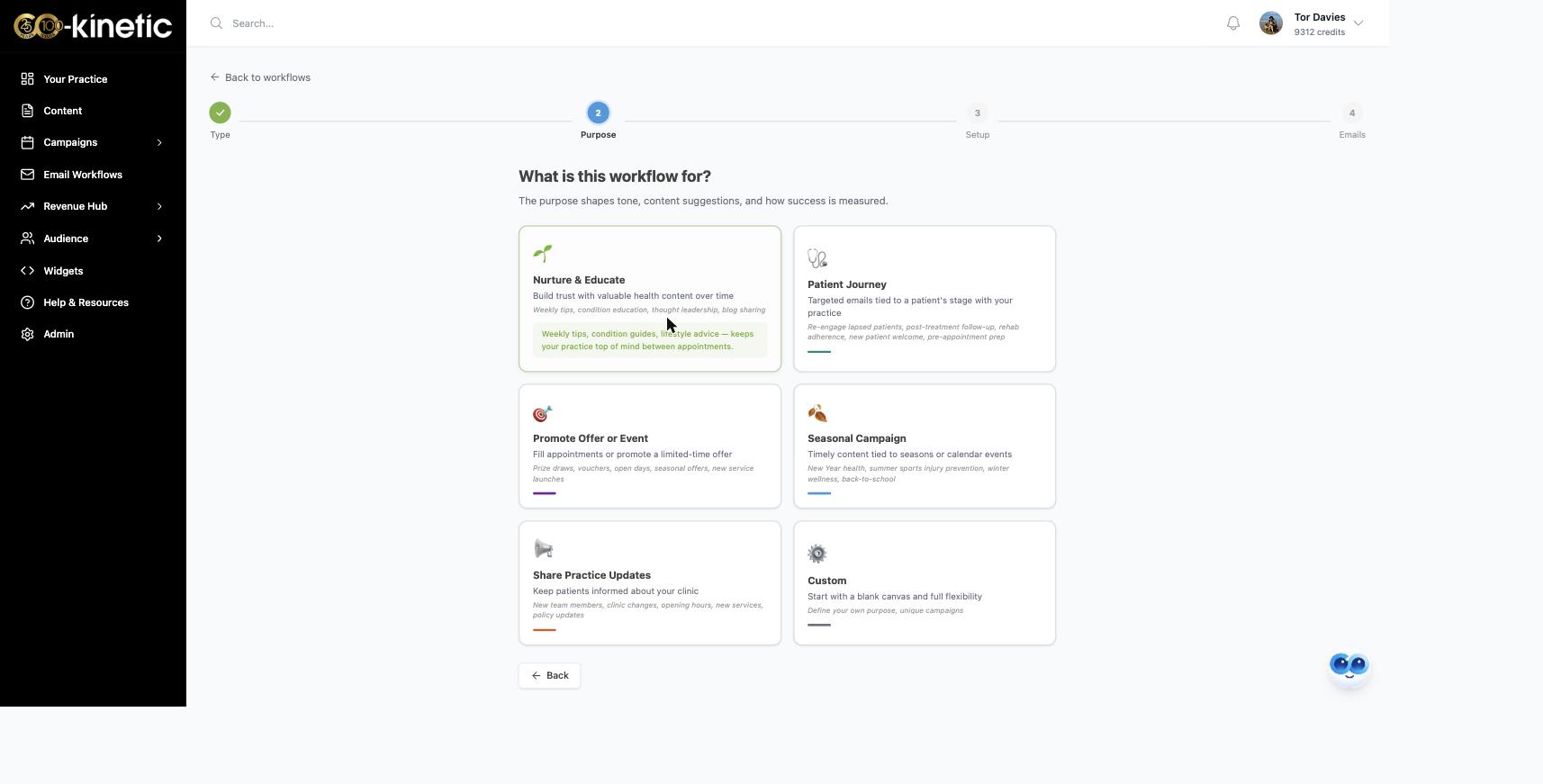
- In Email Workflows (https://app.co-kinetic.com/email-workflows), click + New Workflow / Quick Email and choose Full Workflow (Quick Email is for one-offs). Pick a purpose card such as Nurture & Educate. It pre-fills sensible suggestions you can change.
- On the Setup step: name the workflow, pick your Tone of Voice (Warm & Personal is the default) and Primary Goal (Build Trust is the default). Then, under How does this workflow run?, choose how it runs:
- From the beginning: everyone works through in order. Right when the order matters.
- From the latest email: joiners pick up wherever the workflow currently is. Usually best for seasonal or ongoing educational content.
- Never-ending (recipe updates): recipe-fed workflows that keep growing (these never finish, so they have no end action).
- A shared date: if your education leads up to a date, such as a workshop, a webinar or the start of the ski season. Your education emails can be set to Squash, so everyone gets them all before the date, however late they join. See "How does email timing work when a workflow runs around a date?".
- Each person's own date: if the series should start from each person's own moment, such as when they downloaded a guide.
- For the three rhythm cards, set Frequency, day and time: Daily, Weekly, Fortnightly or Monthly (Weekly, Wednesday, 09:30 are the defaults; one a week is a comfortable rhythm). For the date cards you set the date questions instead, and each email gets its own timing later.
- Choose what happens under When this workflow ends...: Stop (the contact stays where they are), Move to another workflow (your nurture sequence is the natural next home), or Loop back to start (the series restarts from email 1 when a contact reaches the end, handy for evergreen educational content). Pick your Audience, then press Create Workflow & Add Emails →.
- Create each email: add a new email, choose Use a Co-Kinetic Campaign, name it, select your campaign and the leaflet this email is about. The assistant writes the whole email with the leaflet link in place. Edit until it sounds like you. Merge fields such as [CUSTOMER FIRST NAME] personalise each send: copy them exactly, spelling and capitals included, or they will not fill in. Generate or write a subject line. In a date workflow, the assistant knows each email's timing and writes to suit it.
- Test, then switch on: send yourself a test email (a preview to your own address), switch the email on, and repeat. One email per leaflet builds the proper series. An email with no subject or no content can't be switched on.
- Turn the workflow's Active toggle on. Emails now go out on your schedule, inside your daily and weekly limits.
[SCREENSHOT TO CAPTURE: writing an email with Use a Co-Kinetic Campaign, showing merge fields]
Results appear per email. A workflow with no data yet shows "Not calculated yet"; the figures update overnight, or press Refresh inside the workflow to update sooner. Over time the opens and clicks tell you which topics your patients respond to, which picks your next campaign for you.
The question behind the question
"Is ready-made content going to sound like every other clinic?" The campaign is the skeleton, not the voice. Your tone setting, your edits, your clinic's branding and your leaflets' links make each email yours. The editing step is the point, not a formality: two minutes of making it sound like you is what turns good material into your material. The clinics that sound generic are the ones that skip that step 🎯.
The next question is usually...
- Which kind of email workflow should I use?
- How do I create a nurture email workflow?
- How do I add contacts and create audiences in Co-Kinetic?
- How do I create content for my email and website widgets?
Still stuck? This usually means...
- The assistant's email misses the point of the leaflet. Regenerate or edit freely. Pick the leaflet first and name the email after it, so each email has one clear job.
- You cannot decide between one long workflow and one per campaign. Either works: keep adding emails to one workflow through the year, or chain campaign workflows with "Move to another workflow". Choose whichever you will actually maintain.
- Your education leads up to an event. Use A shared date so late joiners still get every email before the day. See "Which kind of email workflow should I use?".
- Nothing is sending. The email must be switched on, the workflow's Active toggle on, and the contacts subscribed. "How do I create a nurture email workflow?" covers the same machinery in more depth.